How to View and Export Daily Invoices Sent to Medicare
Follow the steps below to view and export the daily invoices that have been sent to Medicare:
- First, navigate to the Eclipse Dashboard.
- Select the required date range to display the invoices for the relevant period.
- Under Charged To A/C Type, select Medicare.
- Select both Sent via Eclipse and Manually Sent to display all invoices sent to Medicare.
- Once the invoices are displayed, click Print and Export to export the results.
- When prompted, click Yes to confirm the export.
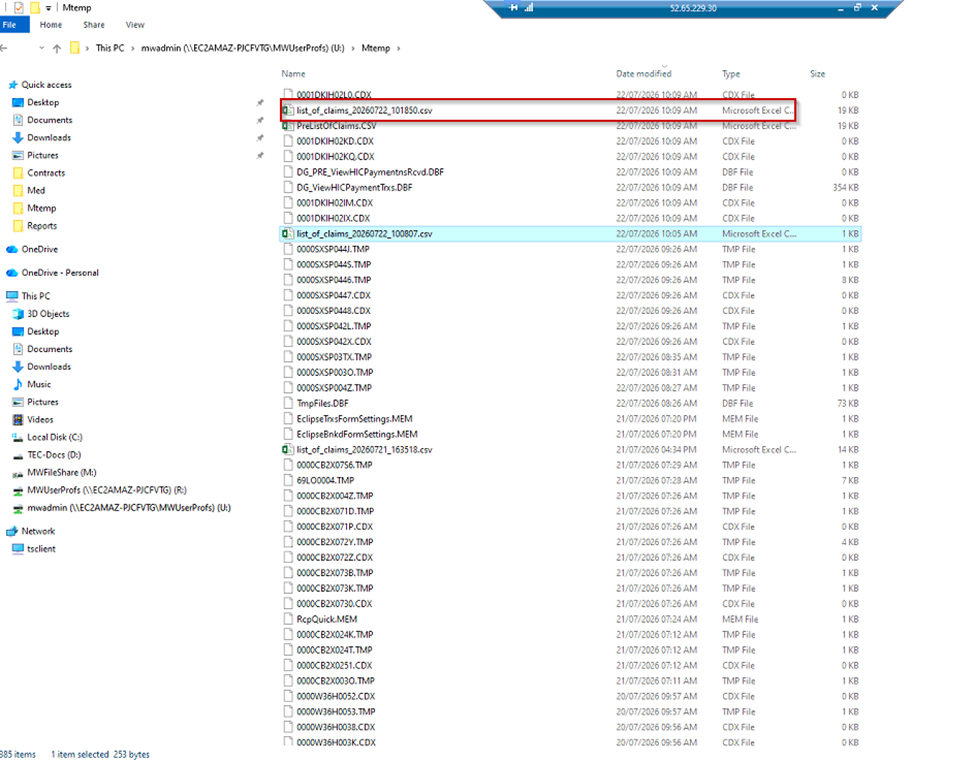
To access the exported Excel file:
1. Navigate to U Drive → MTemp
2. The exported Excel file will be available in
this folder.